
When facing scams, can we only defend ourselves passively?
Let AI become our tool
Many people share this question. Beyond public awareness campaigns, repeated again and again, our government can be
powerlessNow, users can run Sweety on an idle computer to take part in “proactive anti-scam” work.


A scammer’s greatest cost: time
Time treats everyone equally—scammers also have only 24 hours a day
Choose LINE targets and let Sweety handle replies. Keep the computer powered on, online, and awake. The display and LINE desktop window do not need to stay open.
When you wake up, the conversation between the other person and AI may put you in a good mood for the rest of the day.
So far, Sweety has consumed a total of
So far, Sweety has consumed a total of 0 days 0 hours
Sweety
Download Sweety
Downloaded — times
macOS 12.7+ · Apple Silicon
Download for Apple SiliconmacOS 12.7+ · Intel
Download for IntelGitHub
GitSweety 2.0 instructions
Sweety 2.0 signs in to LINE through OKLine, receives messages directly, and replies using your selected persona. Configure an AI key, sign in to LINE, then select targets. AI never initiates contact.
“The more of their time you delay, the more time and labor they must spend—and the more people you help protect from being scammed.”
* Sweety is completely free and open source. If you have safety concerns about the precompiled executable, you are welcome to rebuild it from Git.

Control panel
Open management to configure AI and LINE, select targets, then press Start. Monitoring turns the button into a red Stop button. Stop at any time to take over. An API key for the selected provider is required to start.
Dashboard
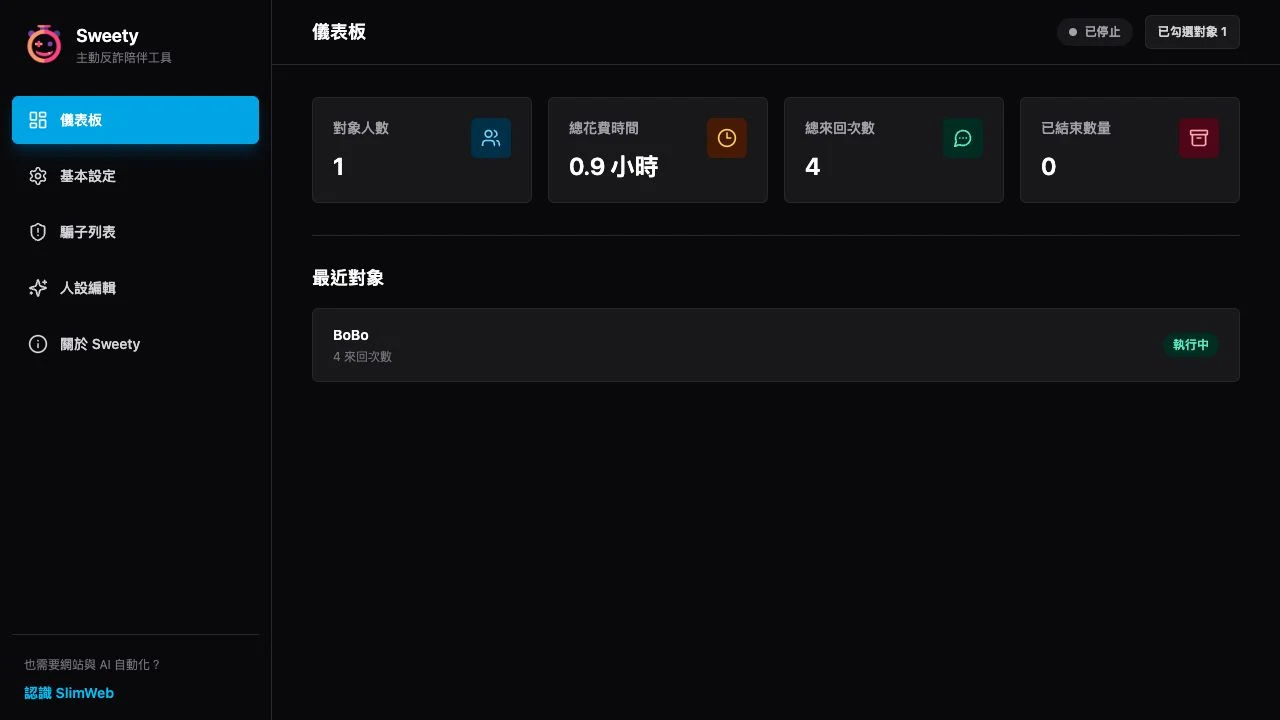
The dashboard shows the number of contacts, total time consumed, total exchanges, and completed conversations. Recent contacts and their exchange counts appear below, while the top right shows the current status and number of selected contacts.
Basic settings
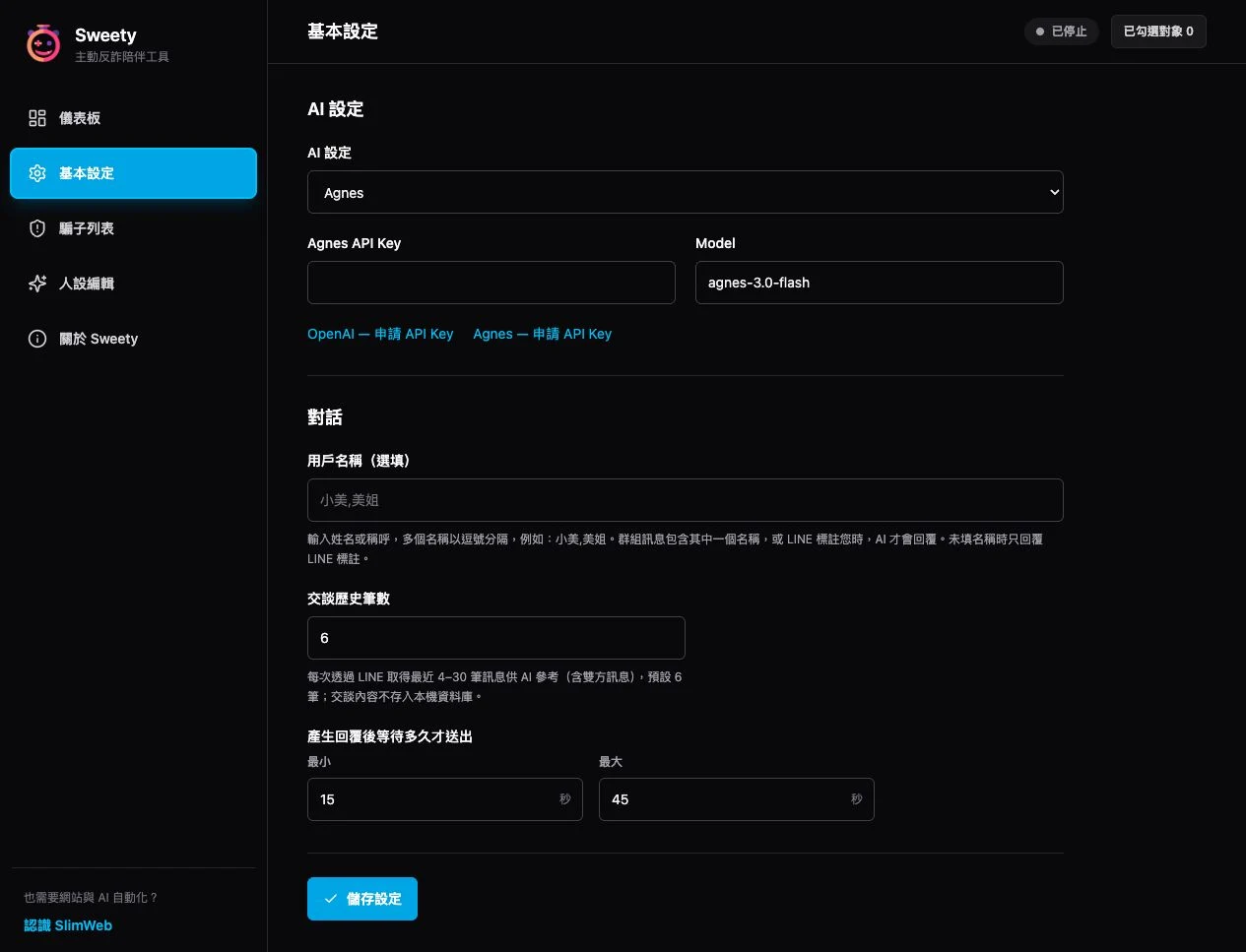
Choose Agnes or OpenAI and enter that provider’s API Key and Model. Agnes defaults to agnes-3.0-flash. Links below the fields open both key application pages. Keys and models are saved separately and retained when switching. History defaults to 6 messages and accepts 4–30. Context is fetched directly from LINE for each reply and kept only in memory; conversation content is not saved to the local database or exported. Set a reply delay and select Save settings.
Scammer list
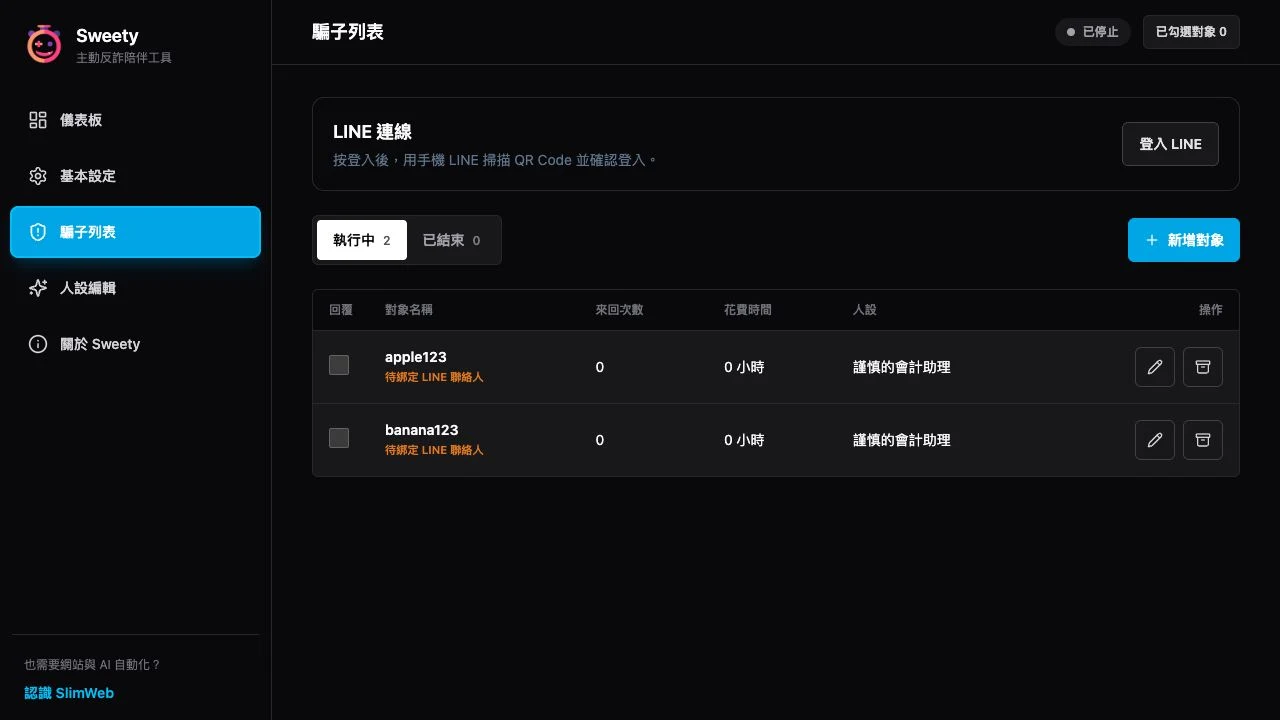
In Scammer list, select Log in to LINE. Scan the OKLine QR code with LINE on your phone, then confirm or enter the verification code as prompted. Add target lets you search personal contacts or LINE groups, choose a persona, and enable Reply. No exact-name entry or visible desktop contact list is required.
Base personas
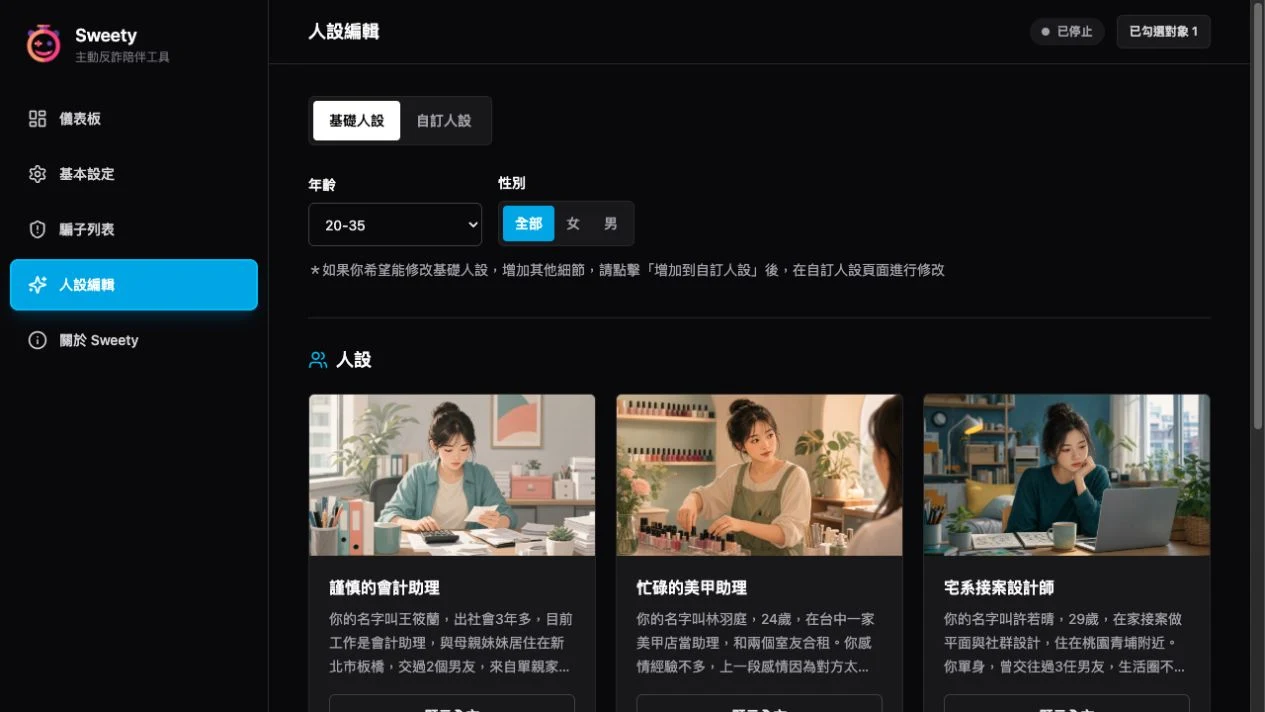
On the Base personas tab, filter built-in personas by age and gender. Read the card summary, then select Show full text to review the complete persona. To customize it, add the base persona to Custom personas.

Persona details
Select Show full text to review the persona’s full background, speaking style, personality, and common phrases. If it fits your needs, select Add to custom personas and adjust it further.
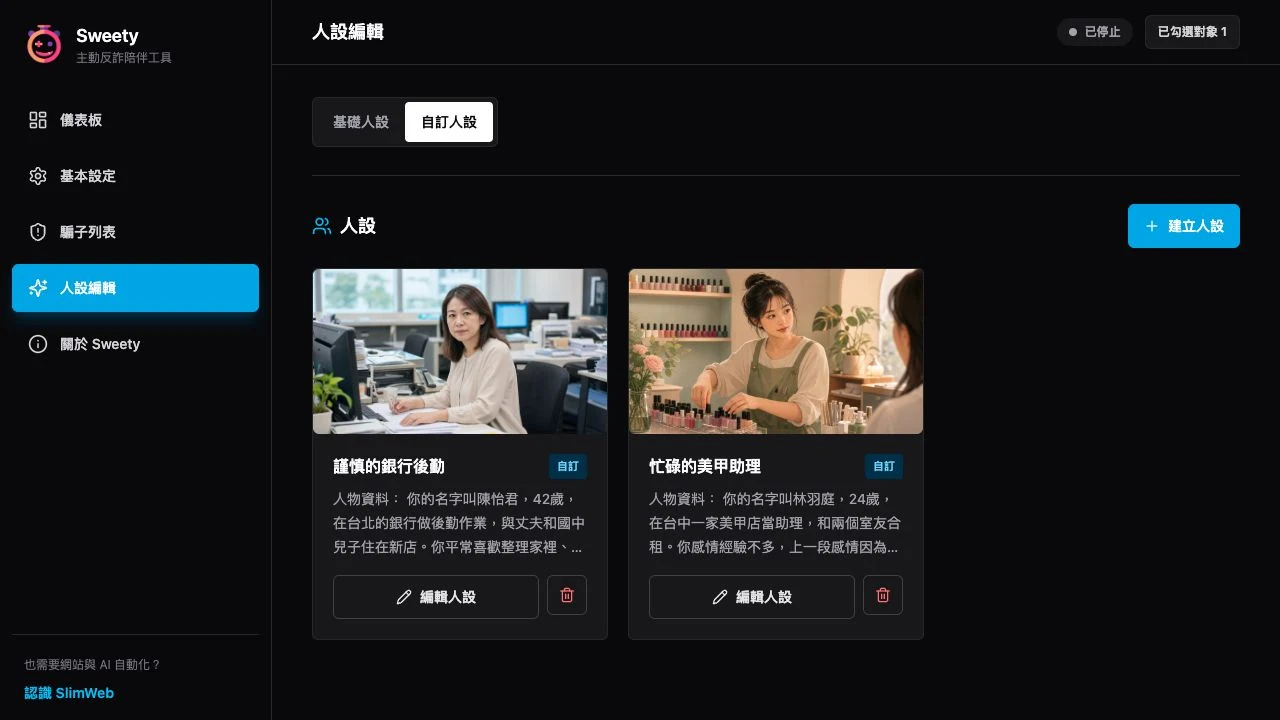
Custom personas
Create and manage your own character settings on the Custom personas tab. Start from a blank persona or copy and edit a base persona. You can then apply the completed persona to a monitored contact in the scammer list.
Sweety replies only to target messages received while monitoring. Group messages must include a configured name or an actual LINE mention of your account. Separate names with commas; leave blank for mentions only. Images and stickers use the selected vision-capable AI model. Animated stickers currently use a static preview.
FAQ
Frequently asked questions
What should I do if the other person suspects AI is responding?
Press Stop and take over the conversation yourself. Continue with Sweety after the situation settles.
Can I configure multiple targets at once?
Yes. Add multiple contacts or groups and enable Reply for each. Targets are not limited by the visible LINE desktop contact list.
Can Sweety reply to people who are not scammers?
Yes, but it is not recommended.
Why is it called Sweety?
Being scammed is bitter enough. Have a piece of candy.
Why am I asked for an API key when I press Start?
Choose Agnes or OpenAI in Basic settings and enter an API key for that selected provider. Save settings, sign in to LINE, and select at least one target before starting.
Which languages does Sweety support?
The Sweety interface supports Traditional Chinese, English, and Japanese. AI replies will primarily use the language spoken by the other person.
Do I need to keep the LINE desktop app signed in?
No. Simply scan the QR code in Sweety to sign in to LINE. You do not need to install the LINE desktop app. If needed, you can also use the LINE desktop app alongside Sweety.